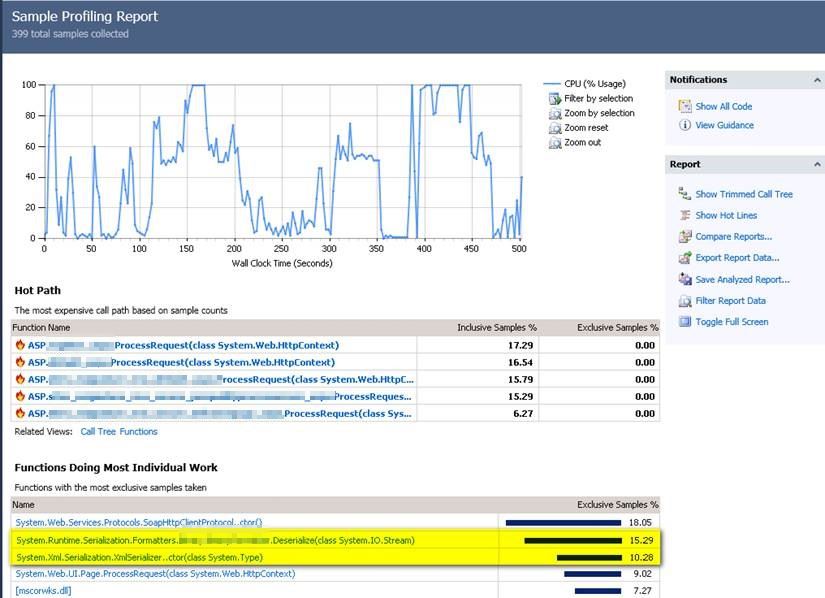
We had a caching problem. Our app was storing data that didn't change much in XML files on the web server. It seemed fine at first—load the file once, cache it, and you're good. But as we scaled, it fell apart for two big reasons:
- Syncing: We were behind a load balancer, so one server might have the latest cache while another was totally out of sync.
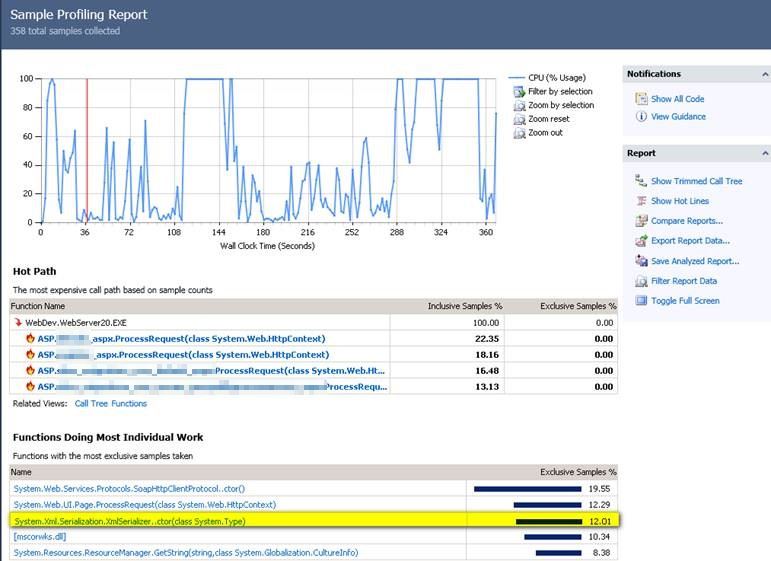
- Speed: Our app was slow, and when I profiled it, I found that XML de-serialization was eating up most of our time.
XML serialization is notoriously slow in .NET. After doing some research (and reading this benchmark), I decided to move us over to ProtoBuf.Net. It’s a binary formatter based on Google’s Protocol Buffers, and it’s significantly faster than XML.
We also took the opportunity to move the cache files to a dedicated file server and offload the creation to a background thread. The actual implementation was surprisingly simple.
Changing the application to ProtoBuf.Net protocol was pretty straightforward.
Implementation Steps
a. Use Nuget to install ProtoBuf.Net framework component.
Install-Package protobuf-netb. Add [ProtoContract] attribute to each class that needs to be serialized and [ProtoMember] Attribute with a unique integer to identify each member that needs to be serialized.
using ProtoBuf;

[ProtoContract]
class Person
{
    [ProtoMember(1)]
    public int Id {get;set;}

    [ProtoMember(2)]
    public string Name {get;set;}
}
c. Serialize and deserialize your data
// Serialization
using (var file = File.Create("person.bin"))
{
    Serializer.Serialize(file, person);
}

// Deserialization
Person person;
using (var file = File.OpenRead("person.bin"))
{
    person = Serializer.Deserialize(file);
}
sequenceDiagram
    participant App as Application
    participant PB as ProtoBuf.Net
    participant FS as File System

    Note over App, FS: Serialization Process
    App->>PB: Serialize(Object)
    PB->>PB: Encode to Binary
    PB->>FS: Write binary data to disk

    Note over App, FS: Deserialization Process
    App->>FS: Read binary data
    FS->>PB: Streamed data
    PB->>PB: Decode Binary
    PB->>App: Return deserialized Object
Results
As you can see from the charts below, the change from XML to ProtoBuf.Net serialization, caching the files in a single file server, and offloading the work to a background thread was a huge success.
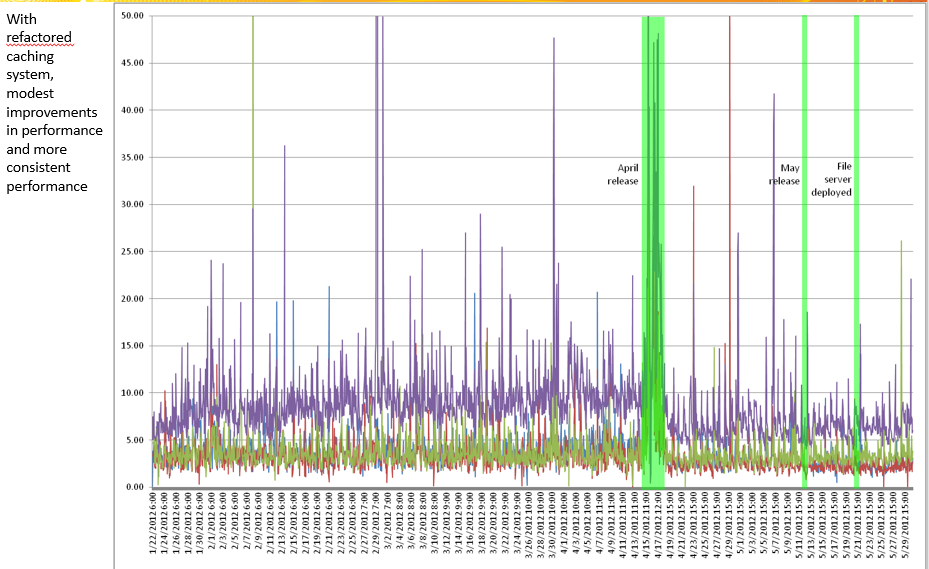
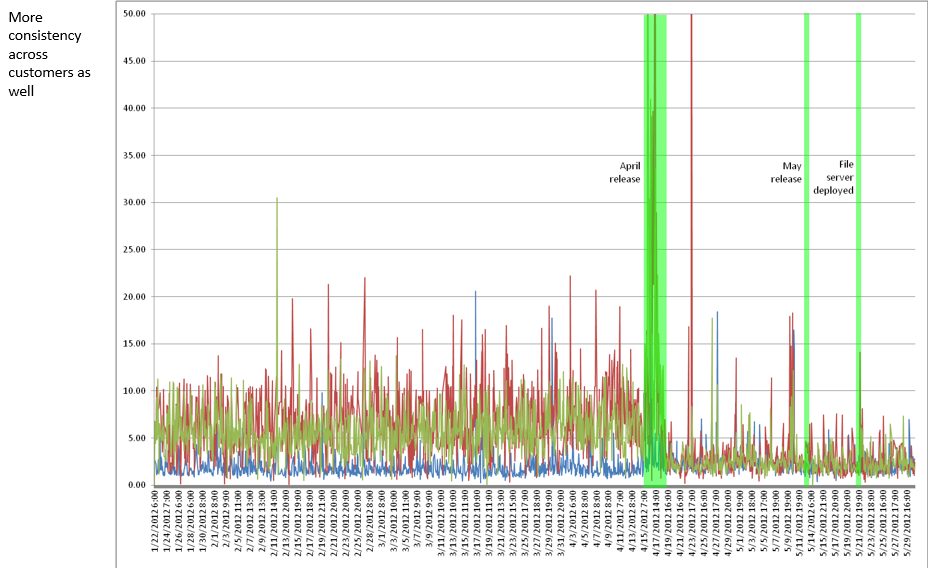
Using ProtoBuf.Net Serialization
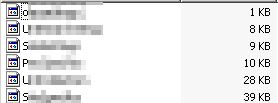
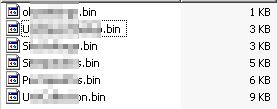
The .Net profiler shows "HotSpots" due to serialization and de-serialization are much reduced. File sizes are also much reduced.
Using XML Serialization (Legacy)
The .Net profiler shows high CPU usage i.e "HotSpots" due to XML serialization and de-serialization. File sizes are also much larger.